
Payment verification (KYC) at a glance
If you want to collect cloakroom fees from your guests digitally — for example cashless via the wallet pass or the pass page, at drop-off or up to pickup — a one-time check by our payment service provider is required. The money goes directly to you or your venue via the payment service provider — tapcoat® doesn’t receive any guest money. tapcoat provides the software and technical connection. Internationally, this process is called KYC, which stands for “Know Your Customer”.
The KYC check is required by law for payment service providers and protects against financial fraud and money laundering. It generally applies to all companies that receive digital payments via a payment service provider — regardless of size or industry.
You fill in the application directly in the tapcoat dashboard; it is checked by our payment service provider. Which service providers are involved in payment and verification is listed in our privacy policy.
Requirements
Before you submit the application, check these points:
- Manager role: Only people with the Manager role can work on the application and book the add-on.
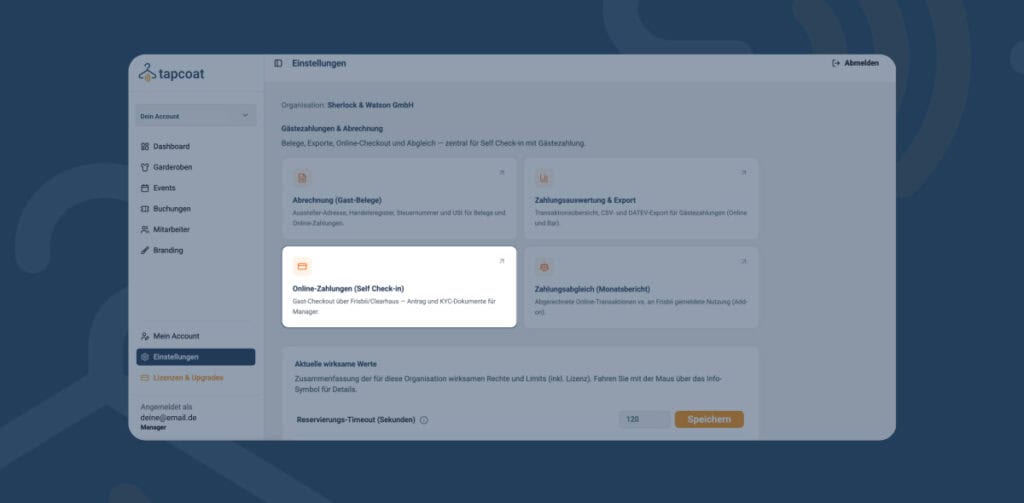
- Add-on guest payments online: Book the add-on in the dashboard under Settings → Online payments (Self-Check-in) with Book add-on. Billing for the add-on only starts once the check is complete and online payments are enabled. Prices are on the pricing page.
- Billing (guest receipts) filled in: Under Settings → Billing (guest receipts), you add the issuer address, commercial register or registration number, tax number and VAT details. As long as these details are incomplete, online payments stay blocked.
What is checked?
As part of the verification, the authorized representative, the company and its owners are checked. Prepare these details and documents before you start the application:
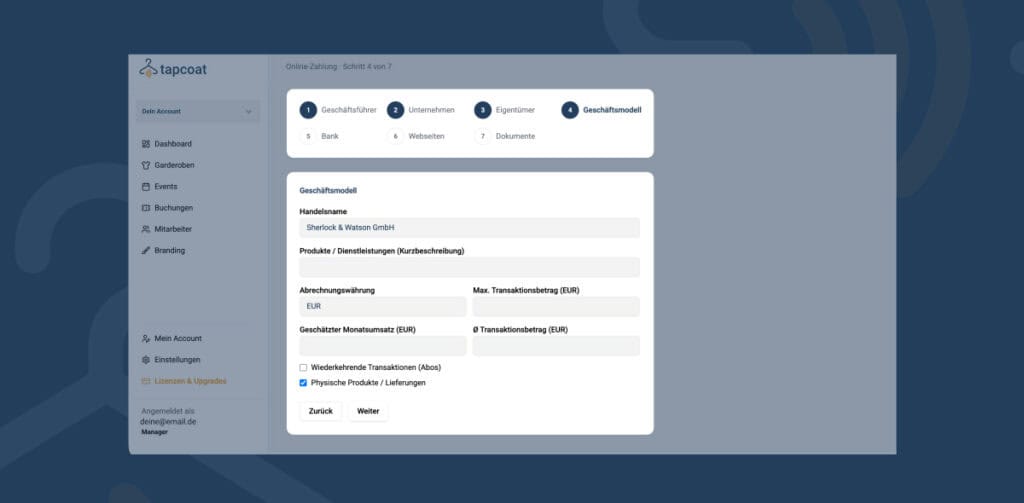
- Details of the management as well as a Photo ID (for example an ID card) and a Proof of address
- Company details such as legal form, commercial register number, address and trading name
- Owners with a share of more than 25 %, each with photo ID and proof of address
- Business model, for example expected monthly revenue and average transaction amount
- Bank account (IBAN) with proof
- Websites where your guests pay
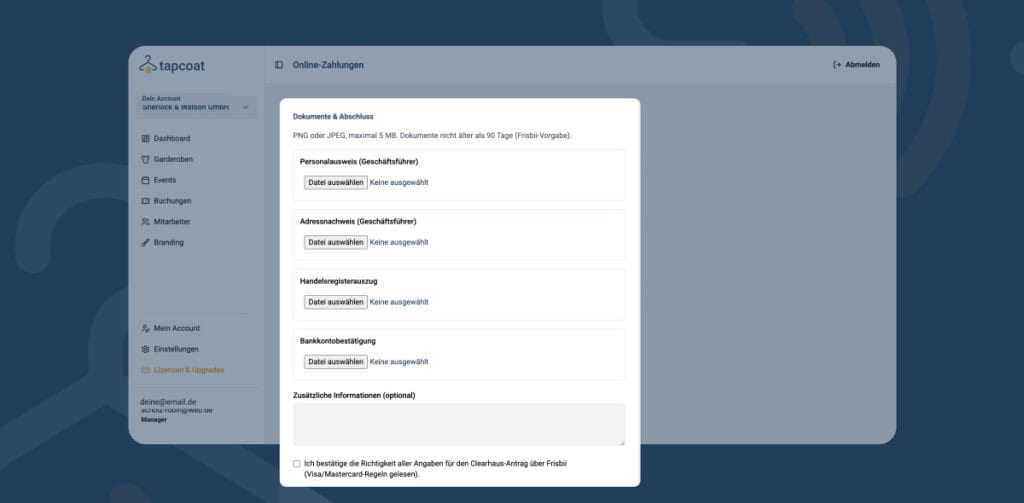
Documents must not be older than 90 days. You can upload PNG or JPEG files of up to 5 MB.
How does the process work?
In the dashboard, you find the application under Settings → Online payments (Self-Check-in). The application guides you step by step through the details above.
- Enter the details on management, company, owners, business model, bank account and websites.
- Upload the documents in the respective steps.
- Tap Next in each step so your details are saved.
- Confirm that your details are correct and click Submit application.
After submitting, the check begins. You see the status in the dashboard under Online payments (Self-Check-in). The payment service provider may contact you directly with questions. As soon as the check is complete and online payments are enabled, you collect cloakroom fees digitally.
How long does activation take?
How long the check takes depends mainly on whether your documents are complete. You see the current status in the dashboard at any time.
What happens if the check is rejected?
If your application is rejected, you see this in the dashboard under Online payments (Self-Check-in). Check your details, correct them and submit the application again. If you have questions about the verification status, contact hello@tapcoat.com.