


Tapcoat Support — fast, clear, practical.
Guides, answers, and practical tips — for setup, QR codes, NFC, payments, receipts, team access, and using the app.
Everything you need to use Tapcoat confidently and smoothly, day in, day out.
Onboarding and introduction
Getting started
New to Tapcoat?
Here you’ll find everything you need to get started – from creating your account
and verifying payments to setting up your first cloakroom. Step by step, no prior knowledge needed.

Roles and permissions
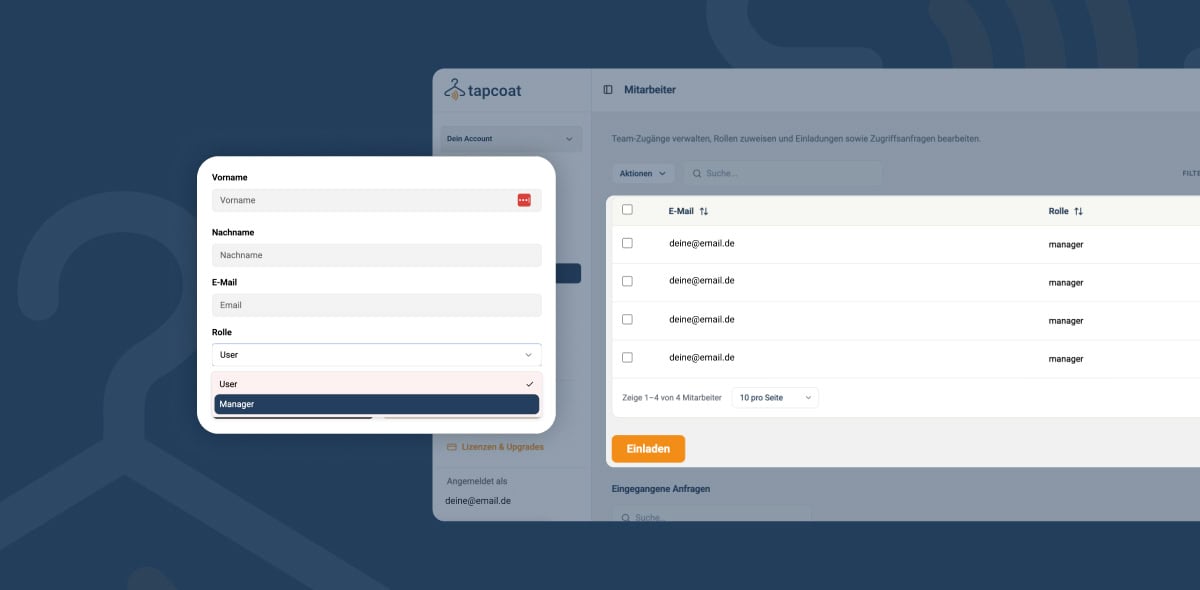
Manage roles & permissions Tapcoat currently distinguishes between two roles: Manager and User. The role is set when you invite a person and determines which features they can access. Choose
Invite staff members
Invite staff members quickly and easily Every person who works with Tapcoat gets their own personal account. There are no shared logins and no shared passwords. This ensures you can
Create an event
Create an event with ease An event is the time frame in which your cloakroom is actively in operation. Every event has a clearly defined start and end time —
Create a cloakroom
Create a cloakroom with ease In Tapcoat, a cloakroom is the digital twin of your physical cloakroom area. It holds all the information about which items are accepted, how the
Payment verification (KYC)
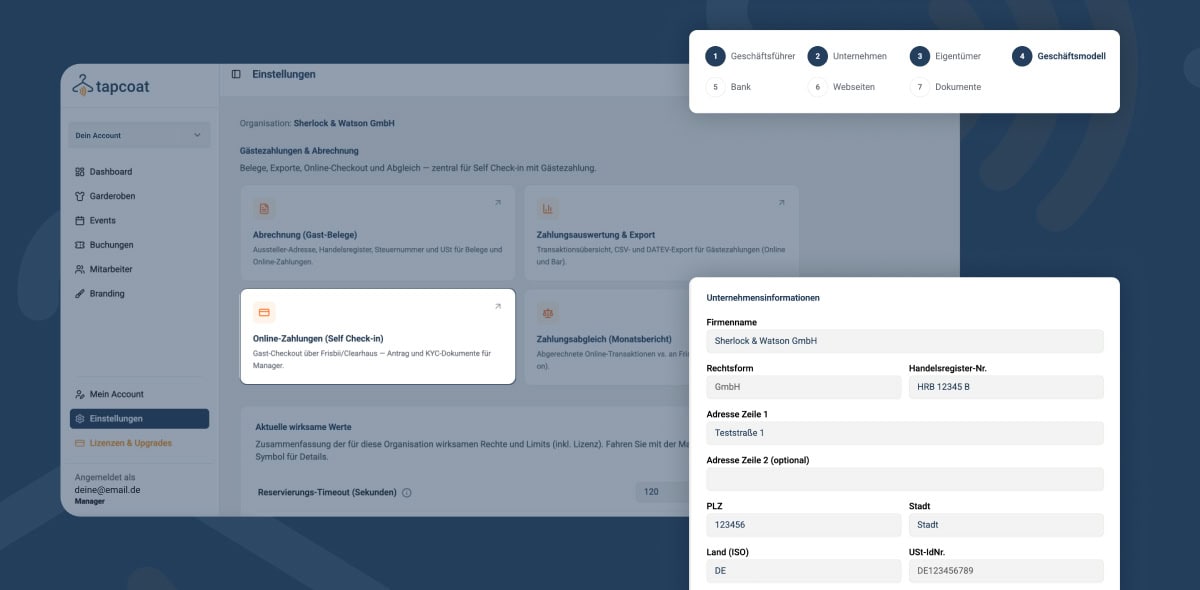
Payment verification (KYC) at a glance If you want to receive payments from guests via Tapcoat — for example for paid cloakroom plans, Tap to Pay at the counter, or
What is Tapcoat?
What exactly is Tapcoat? Tapcoat is a digital cloakroom system for events, venues, and event businesses of any size. It fully replaces physical cloakroom tags with digital receipts — as
Creating an account
Create your account in no time Getting started with Tapcoat is completely self-service via tapcoat.com. There is no manual onboarding process by the Tapcoat team — you have full access
Setting up Self Check-in
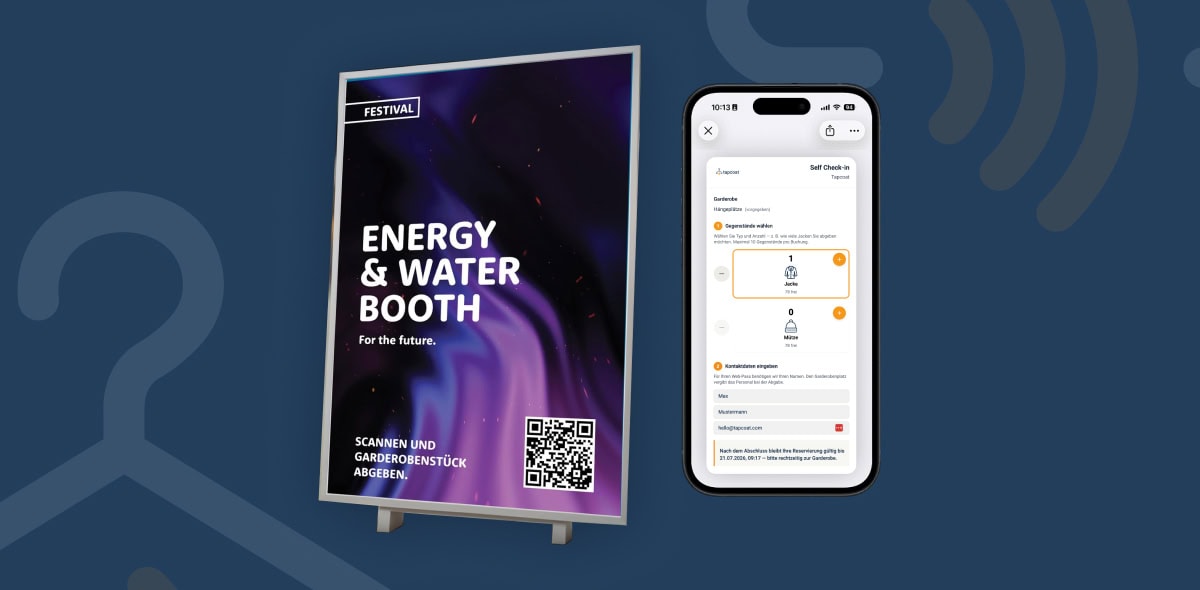
Set up Self Check-in with QR codes With Self Check-in, you use an existing QR code as the cloakroom identifier – instead of generating a new QR code cloakroom tag
Processes & setup
Technical setup
For operations to run smoothly, the technology has to be right. In this section, we explain
how to set up devices, install the app, and configure check-in methods such as QR code or NFC.
Setting up NFC check-in
Set up NFC check-in with ease NFC check-in is the fastest and most contactless form of Tapcoat check-in. Instead of scanning a QR code, staff briefly hold the smartphone to
Setting up QR code check-in
Set up QR code check-in with ease QR code check-in is the default method in Tapcoat and the right choice for most venues and events. It works without special hardware
Network and internet connection
Network & internet connection overview Tapcoat is a cloud-based application. An internet connection is required for regular operation. However, the system is designed to run stably and reliably even under
Installing and setting up the app
Install & set up the Tapcoat app with ease The Tapcoat app is the central workspace for your cloakroom staff and on-site Managers. It is installed on each team member’s
Devices and system requirements
Device & system requirements Tapcoat is entirely software-based. You don’t need any dedicated or proprietary hardware. Smartphones and tablets that your team already owns or can buy at low cost
Troubleshooting and fixing issues
Issues and quick troubleshooting Most problems with Tapcoat can be solved quickly and without technical expertise. This overview helps your staff fix common issues on site themselves — without waiting
Workflows and operation
Using the app
From check-in to end-of-day closing – here you’ll learn all the workflows in the Tapcoat app.
Accept items, return them, handle special cases, and hand over your shift cleanly.
End-of-day closing and shift handover
Simple end-of-day closing & shift handover A key advantage of Tapcoat is that no manual end-of-day closing is required. Because all transactions are recorded fully digitally, there are no closing
Cash register
Cash register (optional feature) Tapcoat is fundamentally a cashless system. Guests pay cloakroom fees either digitally via the Tapcoat landing page or via Tap to Pay right at the cloakroom.
Special cases on site
At events, things happen that aren’t always part of the plan. This overview shows how staff handle the most common exceptions with Tapcoat — calmly, clearly, and without improvising. Guest
Returning an item (checkout)
Returning an item with ease (checkout) At pickup, the guest shows their digital cloakroom pass. Staff scan the QR code on the pass, instantly see the matching hanger location number,
Accepting an item (check-in)
Accepting a cloakroom item (check-in) Check-in is the most common task at the cloakroom. It is deliberately reduced to a few steps so that staff can work smoothly even when
App interface overview
The intuitive app interface The Tapcoat app is deliberately lean and focused on the essentials. Staff shouldn’t have to click through complicated menus in the stress of event operations. Every
Management
Event planning
Big event, multiple stations, multi-day operations?
Here we show you how to plan capacity, master peak times, and keep your guests
up to date with push notifications.
Multi-day events
Creating and managing multi-day events Trade shows, festivals, conferences, or multi-day corporate events run over several days. In Tapcoat, such an event is created as a single event — not
Plan capacities and peak times
Easily plan capacities & peak times A well-planned cloakroom is the foundation for smooth admission. Tapcoat gives you the tools to configure capacities cleanly in advance and keep an eye
Quick help
Contact & support
Something not working as expected?
Here you can reach our support team, report technical issues, and send us feedback or
feature requests for the further development of Tapcoat.
01 How to

02 Getting Started

03 Ticket Center

04 Good to know

Start now
Experience Tapcoat for yourself and transform your cloakroom management today.